

Thank you for participating in our demo.
You may have been instructed to start or schedule a visit. To get started, follow the instructions below. If you still have questions, contact us at [email protected] or by calling 855-831-9120.
IMPORTANT: To conduct a video visit from home, you need a personal computer, an internet connection, a web camera, a microphone, and Google Chrome as your browser.
Want to Visit Now?
Follow these steps to start an on-demand visit:
1. Go to www.visit.telmate.com
2. Login to your account
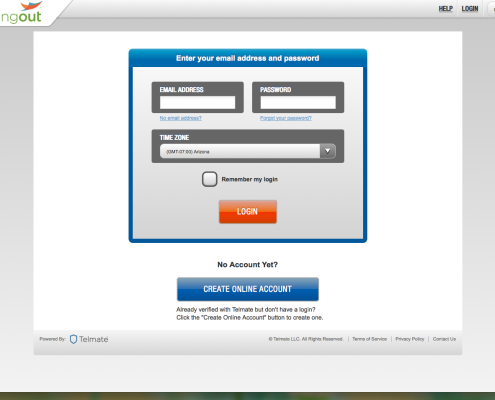
3. Click the “Visit” link in the “Quick Links” section on the left
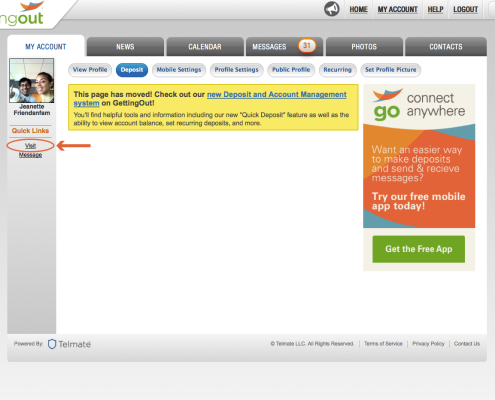
4. Click the person you’d like to visit with
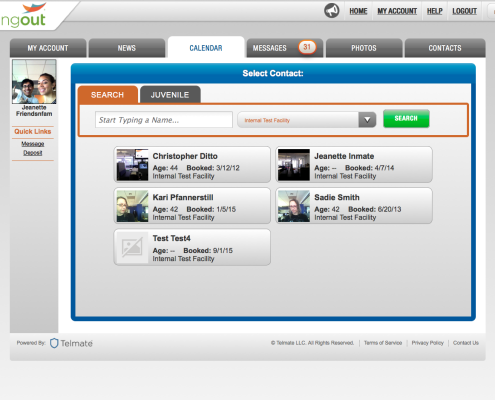
5. Click on “Visit Now” in the “online” section
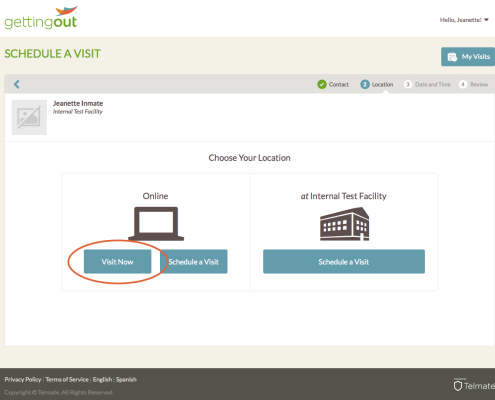
6. If inmate is available, the visit will start shortly. If the inmate is not available, you will get a message letting you know, and can schedule a visit instead
Want to Visit Later?
Follow these steps to schedule a visit:
1. Go to www.visit.telmate.com
2. Login to your account
3. Click the “Visit” link in the Quick Links section on the left
4. Click the person you’d like to visit with
5. Click the “Schedule a Visit” button in the “Online” section
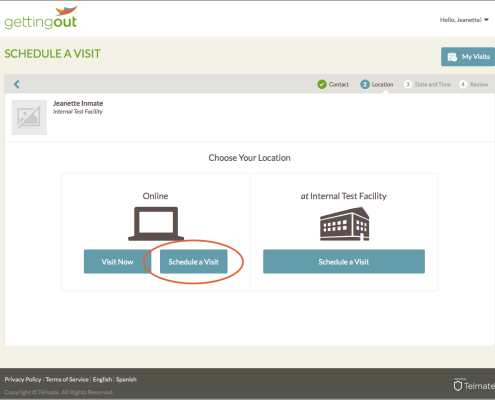
6. Click the day you’d like to visit
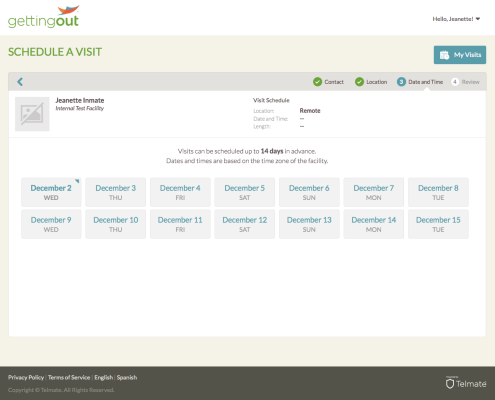
7. Click the time of day you’d like to visit—morning, afternoon or evening
8. Click the desired length of your visit
9. Click the time you’d like the visit to start
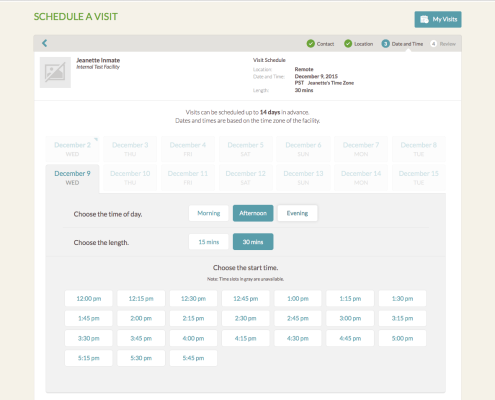
10. Click the green “Confirm” button
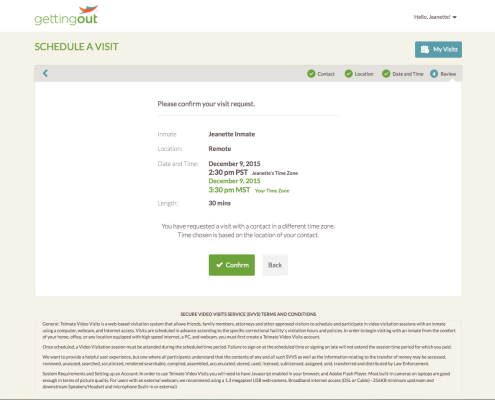
11. Read and accept the terms of video visits by clicking the check boxes next to each statement and then clicking the green “I Agree”
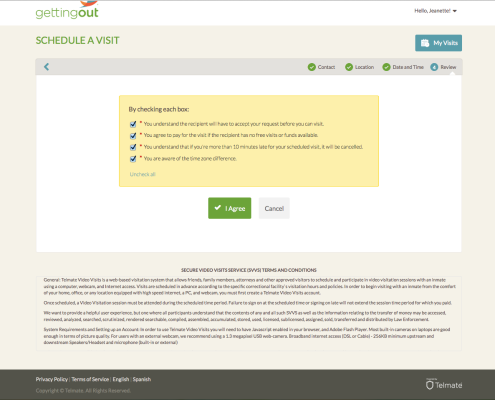
IMPORTANT: The inmate must accept your requested visit before it can be confirmed. You will know your visit request was accepted when you receive an email saying “Your Video Visit is Scheduled”.
Don’t Have an Account?
Follow These Steps to Create One:
1. Go to www.visit.telmate.com
2. Click the “Create Online Account” button
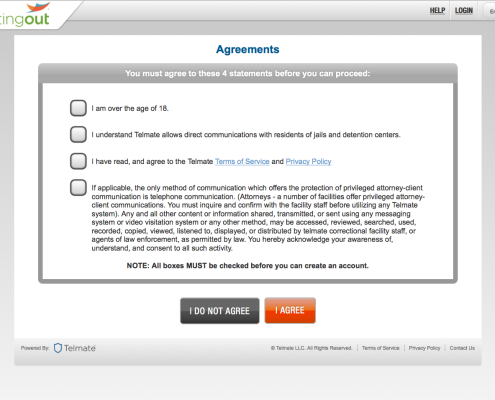
3. Agree to the terms
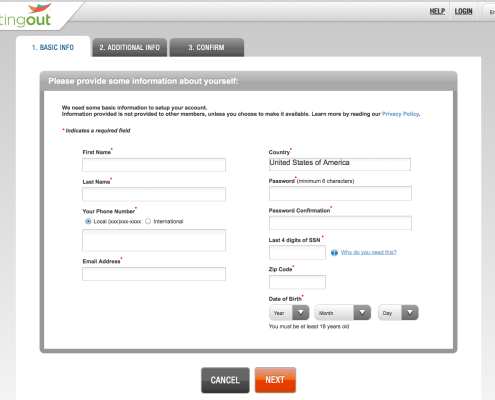
4. Provide your information (all fields with an asterisk are required, there are two screens)
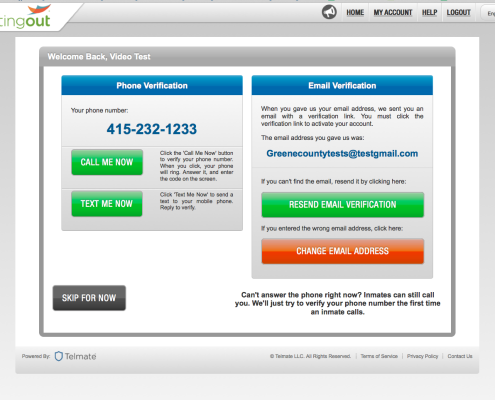
5. Verify your account using either your phone number or email address
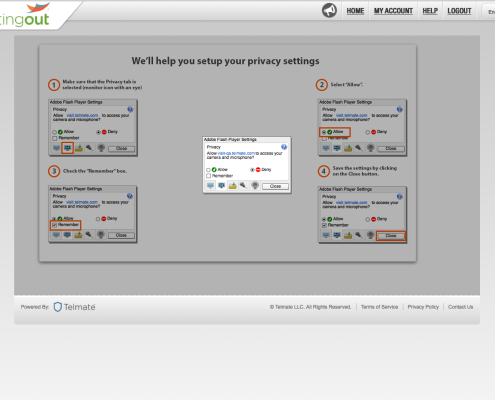
6. Allow Flash to access your camera and microphone by clicking “Allow” (you will need this access turned on to use video visits)
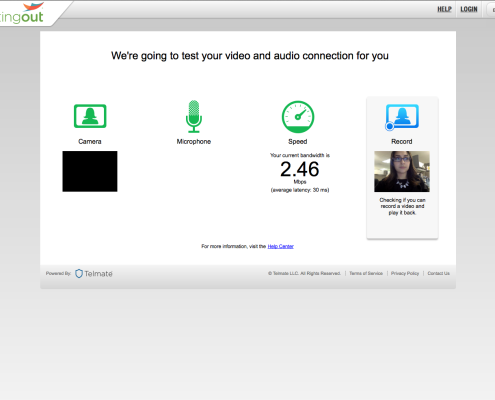
7. Follow the steps to test your equipment